Share your schedule online in a few clicks
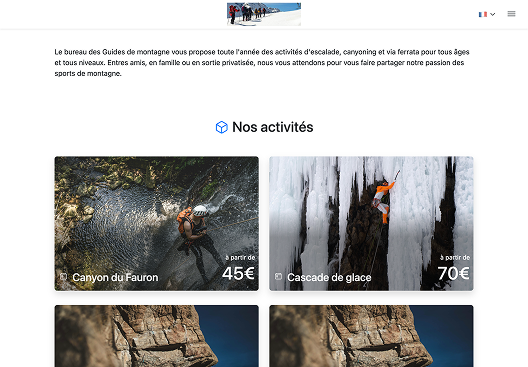
Online booking covers the most common day-to-day cases:
- let customers book when they want, from your site or a standalone link if you do not have a full website yet;
- embed the journey in an iframe on an existing page;
- open the booking space in a popup window from a custom button.
You keep a short path for customers while staying in full control of what is offered for booking.
Stay in control of what visitors see before they book
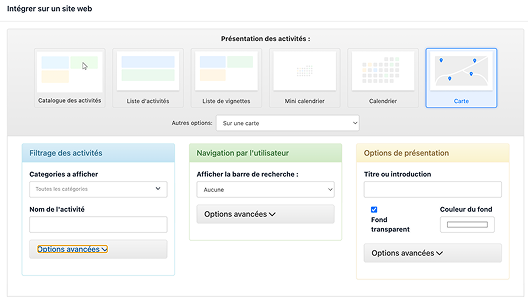
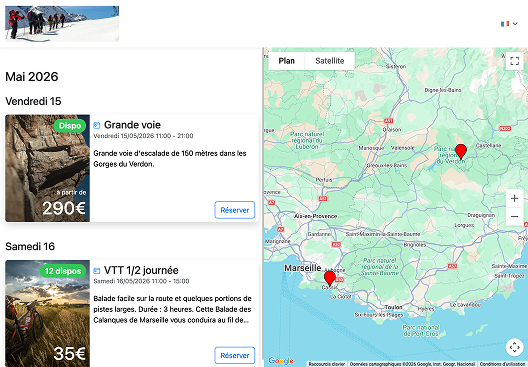
Six presentation modes cover the most frequent needs: activity catalog, activity list, thumbnail list, mini calendar, full calendar, and map view.
For what is bookable online, you refine the scope: categories to show, search by activity name, then advanced options when you need more granularity. Presentation options (title or introduction, transparent background, background colour, advanced settings) together with custom stylesheets help the integration fit seamlessly into your site.
From display mode choice to go-live
- Choose the display mode that fits your page (list, thumbnails, calendar, map, and so on).
- Configure activity filtering and navigation and presentation options until you get the look you want.
- Select how to deploy: iframe with preview, popup button with a ready-to-paste script, or standalone link to the booking page.
- Publish the code or URL with your web team, or share the standalone link on your acquisition channels.
A preview lets you validate the journey before opening booking to the public.