
View and download fiscal archives
Beginner 10 minUpdated 7 September 2026
Activiteez generates an annual fiscal archive for the previous calendar year. In practice, the archive for year N-1 is produced when processing January 1 of year N.
Legal retention is your organization’s responsibility: Activiteez keeps a copy to ease access, but this does not replace your obligation to back up archives.
Access archives
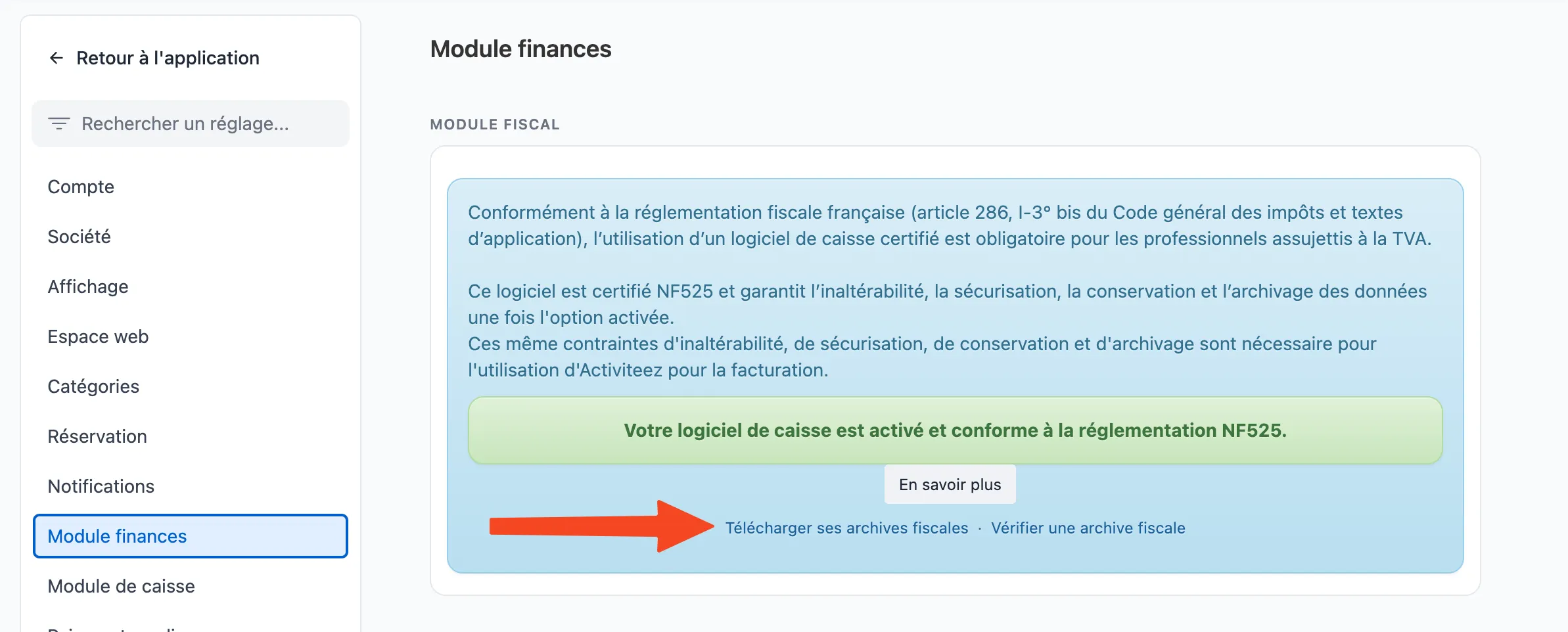
- Open Settings → Finance module.
- In the Fiscal module card, fiscal archives area: links to available archives.
Download and verify
- Identify the archive for the year you need.
- Download both files:
- the
.ziparchive; - the companion
.zip.txtfile (signature / verification).
- the
- Verify the archive at activiteez.com/verifier-une-archive-fiscale.
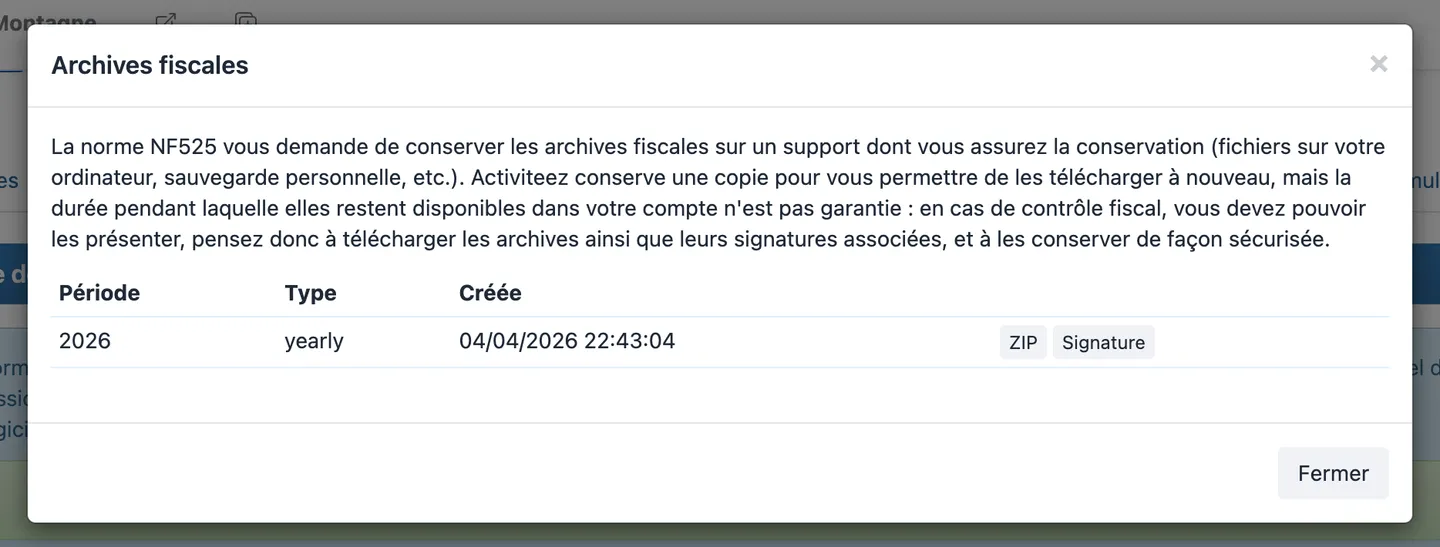
Without both files, full verification may be incomplete.
Recommended procedure (start of year)
- Check that the previous year’s archive is visible.
- Download ZIP and
.zip.txt. - Verify integrity on the Activiteez site.
- Store both files together on secure storage (internal backup).
- Record the retrieval date (register or accounting checklist).
- Repeat for each new fiscal year.
Archive access depends on your permissions.
